Best Free PDF Tools for Everyday Computer Use
Finding the best Free PDF Tools for Everyday Computer Use can save you hours of frustration when you need to sign a contract, merge study notes, or compress a large document. While expensive software often dominates the market, plenty of reliable, cost-free options handle these tasks with precision. You don’t need a professional subscription to manage your paperwork effectively.
Whether you are a student, a freelancer, or just someone clearing out a digital home office, these utilities provide the essential functions required for modern document management. This article highlights the most dependable choices that keep your workflow moving without requiring a credit card or a monthly commitment.
Top Recommendations for Daily Document Management
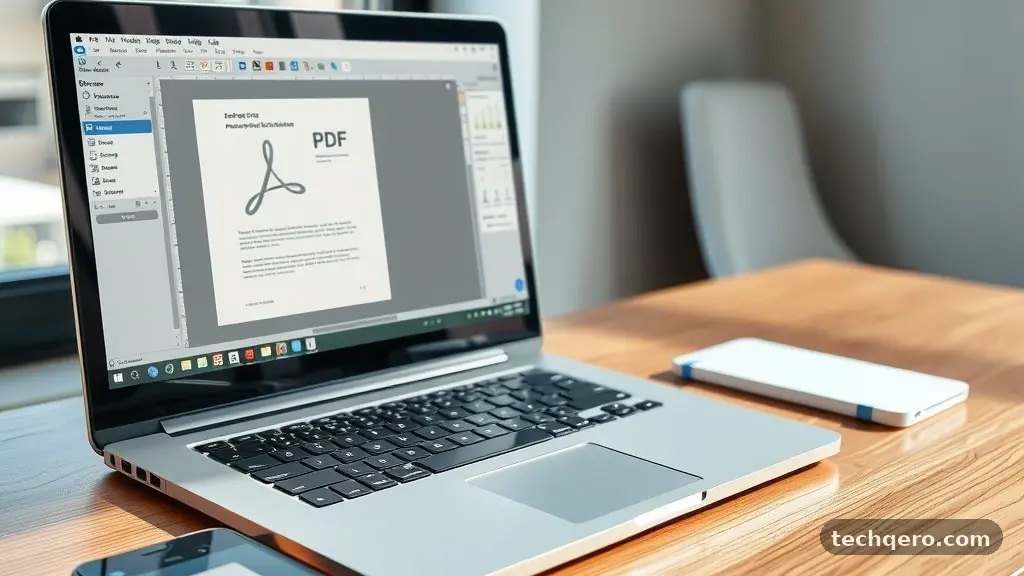
When you look for the best Free PDF Tools for Everyday Computer Use, you want software that balances functionality with ease of use. Most users simply need to read, annotate, or rearrange pages, rather than perform complex design work. The standout choice for many is PDFgear, as it offers a comprehensive suite of editing tools without the typical paywalls found in other apps.
It allows you to convert files, sign documents, and even perform optical character recognition on scanned images. Because it is completely free to use, it removes the barrier to entry for anyone needing to handle paperwork on a budget.
Another strong contender is ILovePDF, which functions primarily as an online hub for quick file manipulation. It is ideal if you are working on a public computer or do not want to install software on your machine. You can quickly merge, split, or compress your files in seconds by simply dragging and dropping them into your browser.
While online tools have limits on file size and processing speed, they are perfect for one-off tasks. These platforms have become industry standards because they provide high-quality output without hidden fees or forced account upgrades.
Key Features to Look for in Free Software
Not all utilities are built the same, so knowing what matters is essential for your efficiency. A high-quality tool should allow for basic text manipulation and page management without a steep learning curve. When evaluating these apps, prioritize those that offer a clear, intuitive interface that mimics common word processors.
You should be able to drag pages to reorder them or highlight important sections with just a few clicks. If a tool requires you to watch advertisements or wait for a slow server, it is likely not the right fit for your daily needs.
Security is another factor that cannot be ignored when you are dealing with sensitive documents. Always check if the tool processes your files locally on your computer or if they are uploaded to a cloud server. Local processing is generally safer for private contracts, bank statements, or medical records.
Many modern applications provide an offline mode, which ensures your data never leaves your hard drive. By choosing software that respects your privacy, you can handle your personal information with confidence and peace of mind.
Comparison of Popular PDF Utility Platforms
Choosing between a desktop app and an online utility depends on your specific environment and the frequency of your tasks. Desktop applications often provide more power and offline reliability, while browser-based tools offer unmatched convenience. The following table provides a breakdown of how these different approaches compare for the average user.
| Feature | Desktop Apps (e.g., PDFgear) | Online Tools (e.g., ILovePDF) |
|---|---|---|
| Installation Required | Yes | No |
| Offline Access | Yes | No |
| Privacy/Security | High (Local processing) | Variable (Cloud processing) |
| File Size Limits | Usually none | Often restricted |
| Performance Speed | Fast | Dependent on internet |
Managing Large Files and Compression
One of the most common reasons people search for the best Free PDF Tools for Everyday Computer Use is the need to shrink oversized files. Many email providers have strict attachment limits, often capping messages at 20MB or 25MB. If your document contains high-resolution images or complex graphics, it might exceed this threshold easily.
Compression tools allow you to reduce the file size while maintaining a readable, professional quality. You can often choose between different levels of compression to balance the final file weight against the visual clarity of your document.
To optimize your files effectively, look for tools that offer a “preview” feature before final saving. This lets you see if the text remains sharp and if any formatting breaks during the compression process. Some advanced tools even allow you to strip out unnecessary metadata or embedded fonts that you aren’t using.
This cleanup process makes your documents lighter, faster to load, and easier to share with colleagues or clients. Mastering these compression settings is a simple way to improve your digital organization.
Merging and Splitting Documents
Whether you are combining multiple receipts into one expense report or separating a long book into individual chapters, splitting and merging are essential skills. Most free tools handle these tasks through a drag-and-drop interface that makes the process feel natural. You can select specific page ranges to extract or merge entire files into a single master document.
This is particularly helpful for students who need to organize lecture slides alongside their own handwritten notes. Keeping your files consolidated in this way reduces clutter in your folders and makes searching for specific information much faster.
When you merge files, pay close attention to the order of the pages. Some apps allow you to view thumbnails of each page, which is the most reliable way to ensure everything is in the correct sequence. If you are splitting a file, look for the option to “extract to separate files” to save time.
This feature is a massive time-saver when you are working with large, multi-page PDFs that contain distinct sections. These simple, effective tools are why so many people prefer to handle their own document management instead of relying on paid, bloated software suites.
Essential Tips for Digital Security
Handling sensitive documents requires a baseline level of caution, even when you are using reliable free software. Never upload highly confidential information to a free online tool unless you are certain of their privacy policy. Many reputable sites provide official guidance on protecting sensitive data, which is worth reviewing if you handle business or legal files.
When in doubt, prefer a desktop application that operates entirely offline. This ensures that your files remain on your local machine and are not stored on a third-party server.
Another layer of protection is to password-protect your files before sharing them via email or cloud storage. Many free editors include a “security” or “permissions” tab where you can set a password for opening the document. This simple step prevents unauthorized individuals from reading your content if it is intercepted.
Always use a strong, unique password for your sensitive documents to maintain maximum security. By building these habits into your daily routine, you protect yourself against accidental data leaks and unauthorized access to your private information.
Common Uses for Students and Professionals
The versatility of these tools makes them ideal for a wide variety of users, from students managing research papers to freelancers tracking invoices. For students, the ability to highlight, underline, and add sticky notes to academic PDFs is invaluable for active reading. You can organize your study materials into logical folders and easily search for keywords within your documents.
This creates a digital library that is far more portable and searchable than any physical filing system could ever be. You can focus on learning rather than managing your supplies.
Professionals benefit from the ability to sign contracts and fill out forms digitally. Instead of printing, signing, scanning, and emailing, you can simply open the document in your editor and apply a digital signature. This process can reduce the turnaround time for a contract from hours to minutes.
Many tools also allow you to add text boxes to fill in blank lines, which is perfect for submitting applications or invoices. These small efficiencies add up over time, allowing you to focus on the core work rather than the administrative overhead of document handling.
Frequently Asked Questions
Are free PDF tools safe to use?
Most reputable free tools are safe, especially if they are desktop applications that process files locally. Always check the developer’s privacy policy to see how they handle your data. If you are handling sensitive information like banking or medical records, stick to offline tools to keep your files on your own hardware.
Can I edit existing text in a free PDF?
Yes, many modern free editors allow for basic text editing. However, keep in mind that some tools treat PDFs as images, which makes editing text more difficult. Look for tools that support OCR, which stands for Optical Character Recognition, to make scanned documents searchable and editable.
Do I need to create an account to use these tools?
Many of the best free options do not require an account for basic tasks. Some online platforms may ask for an email address if you want to perform more than a certain number of tasks per day. Always look for tools that prioritize user experience and don’t force you to sign up just to compress a single file.
What is the difference between a PDF reader and an editor?
A reader is designed strictly for viewing files, whereas an editor allows you to change the content. If you only need to read documents, a lightweight reader is fine. If you need to sign, merge, or edit, you will need a dedicated editor, which often includes viewing capabilities as well.
How do I know if a tool is truly free?
A truly free tool will not hide essential features behind a paywall after you have already started the process. Be wary of “freemium” models that let you open a file but charge you to save or export it. Look for open-source projects or established, ad-supported tools that are transparent about their pricing structure.
Final Thoughts on Document Efficiency
Mastering the best Free PDF Tools for Everyday Computer Use is a straightforward way to reclaim your time and simplify your digital workspace. By choosing reliable applications that focus on local processing and user-friendly features, you can handle almost any document task with ease. Whether you are merging study notes, signing a contract, or compressing a file for an email, these utilities provide the power you need without the unnecessary cost.
Start by testing one or two of the tools mentioned here to see which fits your specific workflow best. Once you integrate these small efficiencies into your daily routine, you will find that managing your paperwork becomes a seamless part of your day rather than a chore.